
What is ChatGPT? A practical guide for small business owners
Learn what ChatGPT and large language models are, where they can help a small business, and how to use them without handing over your judgement.

ChatGPT starts with a large language model
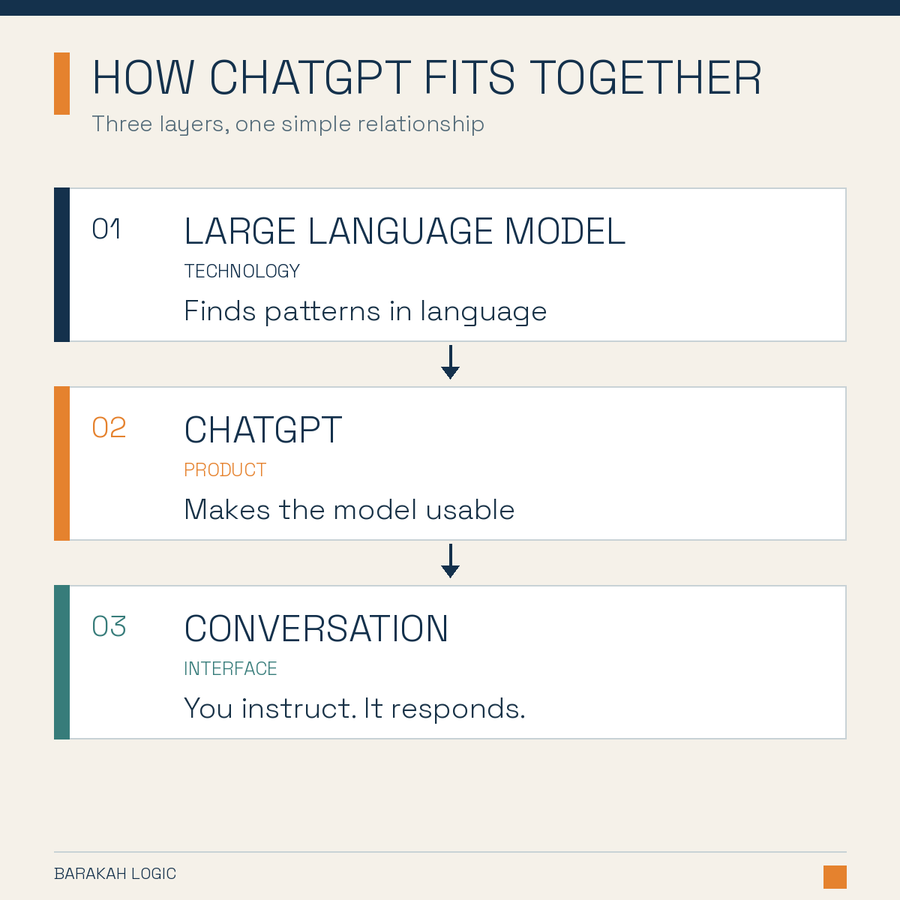
Behind ChatGPT is a type of technology called a large language model, usually shortened to LLM.
An LLM is a computer model trained to recognize patterns across a very large amount of language. When you ask it a question or give it a task, it uses those patterns to build a response one piece at a time.
That is why it can write, rewrite, summarize, compare and explain text in a way that sounds natural.
The distinction is simple:
The LLM is the technology doing the language work. ChatGPT is the product that lets you use that technology through a conversation.
You may also hear the term generative AI. This means AI that can create new material, such as text or images, based on your instructions.
OpenAI provides a plain explanation of how ChatGPT and its foundation models are developed.
ChatGPT does not know your customers, standards or plans unless you tell it. It can also give you a polished answer that is wrong. A useful way to treat it is like a fast new assistant. It can help you get started, but it needs direction and review.
Key takeaways
- ChatGPT is a product from OpenAI. It is powered by technology called a large language model.
- It works with patterns in language. It does not think or understand your business as a person would.
- It is useful for ideas, first drafts, research support, summaries and clearer communication.
- The quality of the response depends heavily on the context and instructions you provide.
- You remain responsible for checking the facts, protecting private information and approving the final work.
Where ChatGPT can help a small business
ChatGPT is most useful when a first draft saves time and you can quickly judge whether the result is good enough. You do not need to use it everywhere. Start with work that is low risk, repetitive or slowed down by a blank page.
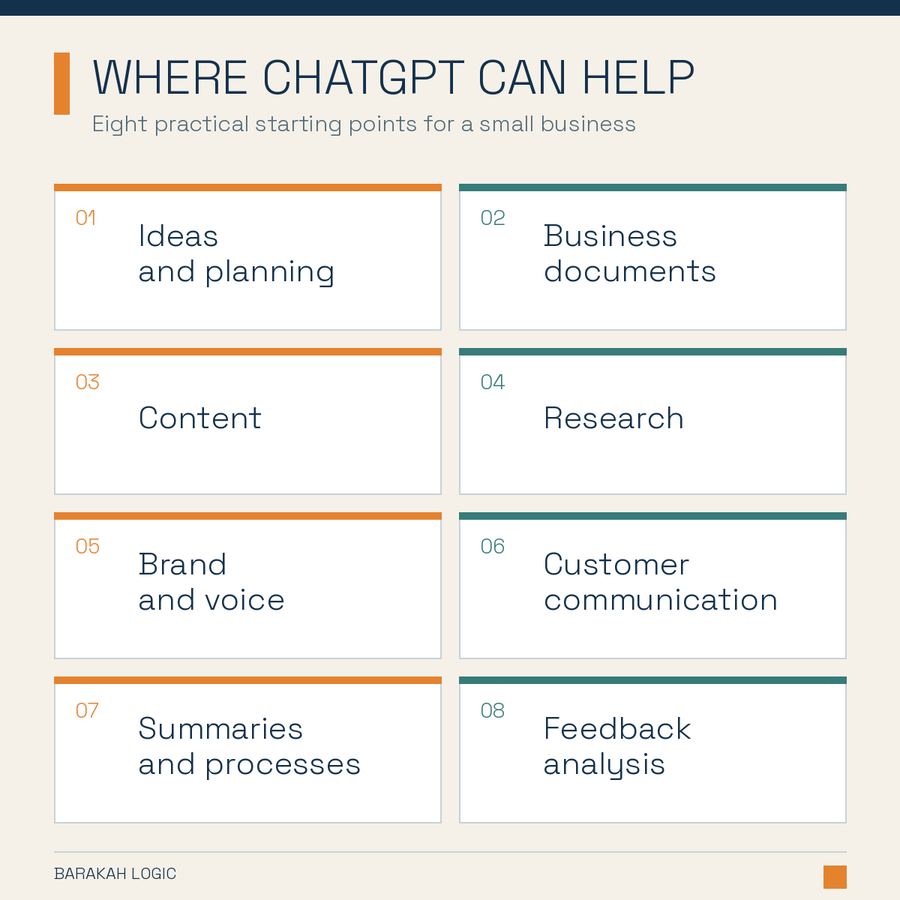
Ideas and planning
Use ChatGPT to generate options, challenge a plan or identify questions you may have missed. Give it your type of business, customer, goal and limits so the ideas fit your situation.
Business documents
It can create a starting draft for proposals, job descriptions, meeting agendas, checklists and process notes. Your rough points or an older document will usually produce a better result than a one-line request.
Content
ChatGPT can help draft emails, social posts, article outlines, product descriptions and short video scripts. It can also turn one useful piece of content into several shorter formats. Your point of view and source material should still come from you.
Research
Use it to understand an unfamiliar topic, compare options and prepare better questions. When current information matters, ask for sources and open the important links yourself. Treat the answer as a starting point, not proof.
Brand and voice
You can give ChatGPT examples of writing that already sounds like your business and ask it to follow the same tone. It can help keep emails, proposals and web copy consistent. Your values, promises and position still need to come from the owner.
Customer communication
It can help make enquiry replies, reminders and follow-ups shorter and clearer. Provide the facts, the tone and the action you want the customer to take. Remove personal or confidential details first.
Summaries and organization
ChatGPT can turn meeting notes or long documents into decisions, actions and open questions. It can also organize repeated work into a draft checklist or simple procedure. Check important details against the original.
Feedback and simple business information
It can group customer comments, survey responses or sales notes into common themes. The patterns can point you toward useful questions, but they should not replace your judgement or proper analysis.
These are starting points. We will cover the stronger use cases in separate guides with examples, prompts and step-by-step methods.
Give ChatGPT enough context
You do not need complicated prompts. Explain the task as you would to a new employee.
Task + Audience + Background + Limits + Format + Example
Instead of asking it to "write a professional customer email," tell it what happened, how you want to sound, what the customer needs to know and what should happen next.
Treat the first response as a draft. You can reply in ordinary language: "Too formal." "Make this shorter." "You added a promise we cannot make." Specific feedback usually improves the next version.
Before using the result, check names, numbers, dates and claims. Read customer-facing writing aloud and remove anything you would not normally say.
Know where to slow down
ChatGPT can produce false information, sometimes called a hallucination. The answer may sound confident even when the claim is wrong.
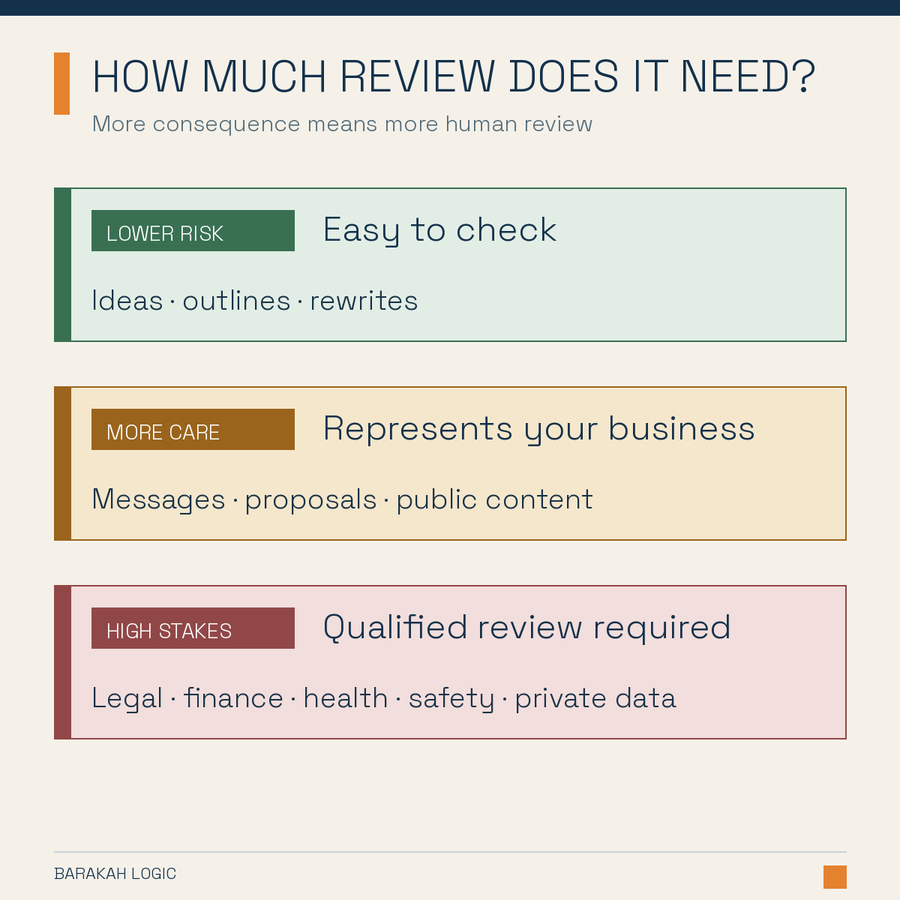
Be careful when:
- the answer affects legal rights, pay, tax, health, safety or finances
- you cannot check the answer yourself
- a mistake could harm a customer, employee or supplier
- the output will represent your business publicly
- the source material contains private or confidential information
Do not paste passwords, payment details, customer lists, health information or confidential agreements into a personal ChatGPT account. Remove identifying details where possible and check your organization's obligations before staff use any AI tool.
OpenAI provides data controls for personal accounts and separate privacy terms for business products. Those settings matter, but you are still responsible for handling other people's information with care.
Three questions can help you decide whether to use it:
- Would I notice if the answer were wrong?
- Can I check it faster than doing the whole task myself?
- What would a mistake cost?
Use it more freely for low-risk work you can inspect. Slow down when the stakes or uncertainty rise.
Try one useful task this week
Choose one task that is repetitive, low risk and easy for you to judge. An enquiry reply, meeting agenda or first draft of a social post could work.
- Find a good past example and remove private details.
- Tell ChatGPT what you need, who it is for and what the result must include.
- Review the response and give specific feedback.
- Save the final version and the instruction that produced it.
- Compare the time and quality with your usual approach.
Keep using it if the work is faster and still meets your standard. If checking and correcting takes longer, choose a different task.
Do this next
Write down three tasks that take time each week. Circle the one that is easiest to check and carries the least risk. Test ChatGPT on it for fifteen minutes.